Easily Install PyMOL on Mac OSX
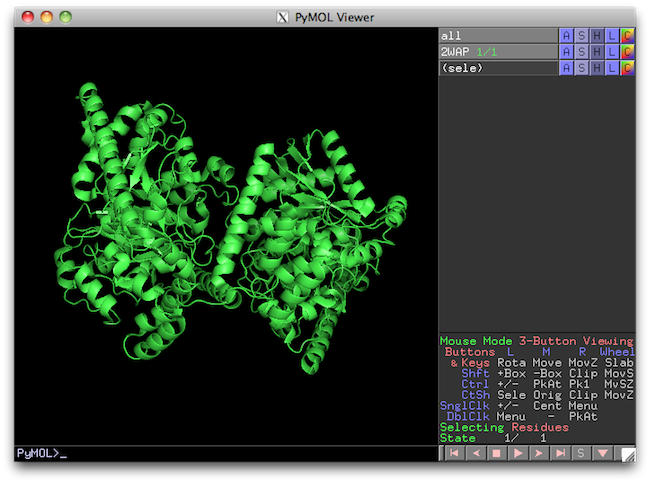
PyMOL is a very popular 3-D molecular visualization tool. It also happens to be a great bargain. PyMOL is free, as in open source.
Unfortunately, all attempts to install PyMOL on an OS X system (as per the INSTALL file) led to errors:
sudo python setup.py build install
running build
running build_py
package init file 'modules/web/javascript/__init__.py' not found (or not a regular file)
package init file 'modules/web/javascript/__init__.py' not found (or not a regular file)
running build_ext
building 'pymol._cmd' extension
gcc-4.2 -fno-strict-aliasing -fno-common -dynamic -DNDEBUG -g -fwrapv -Os -Wall -Wstrict-prototypes -DENABLE_DTRACE -arch i386 -arch ppc -arch x86_64 -pipe -D_PYMOL_MODULE -D_PYMOL_LIBPNG -D_PYMOL_FREETYPE -Iov/src -Ilayer0 -Ilayer1 -Ilayer2 -Ilayer3 -Ilayer4 -Ilayer5 -I/usr/X11R6/include -I/Users/rich/Downloads/pymol/ext/include -I/Users/rich/Downloads/pymol/ext/include/GL -I/Users/rich/Downloads/pymol/ext/include/freetype2 -Imodules/cealign/src -Imodules/cealign/src/tnt -I/System/Library/Frameworks/Python.framework/Versions/2.6/include/python2.6 -c ov/src/OVContext.c -o build/temp.macosx-10.6-universal-2.6/ov/src/OVContext.o
/usr/libexec/gcc/powerpc-apple-darwin10/4.2.1/as: assembler (/usr/bin/../libexec/as/ppc/as or /usr/bin/../local/libexec/as/ppc/as) for architecture ppc not installed
Installed assemblers are:
/usr/bin/../libexec/as/x86_64/as for architecture x86_64
/usr/bin/../libexec/as/i386/as for architecture i386
/usr/bin/../libexec/as/arm/as for architecture arm
ov/src/OVContext.c:28: fatal error: error closing -: Broken pipe
compilation terminated.
lipo: can't open input file: /var/tmp//ccWpUaKz.out (No such file or directory)
error: command 'gcc-4.2' failed with exit status 1
This appears to have something to do with more recent version of OS X build tools lacking Power PC architecture dependencies. A question on Superuser prompted me to try this solution:
ARCHFLAGS="-arch i386 -arch x86_64" python setup.py build
After an encouraging period where a lot seemed to be happening, the build process terminated with the same complaint from lipo.
Fortunately, there is another way. MacPorts makes it very easy to install the most recent version of PyMOL (1.4.1) and all of its dependencies with:
sudo port install pymol